Simple numeric field
An element input with the type=”number” attribute is used to enter numbers. It creates a numeric field that we can customize with the following attributes:
- min: minimum allowed value
- max: maximum allowed value
- readonly: read-only
- required: indicates that this field must have a value
- step: the value to increase the number in the field
- value: default value
Using a numeric field:
<!DOCTYPE html>
<html lang="en">

<head>
    <meta charset="UTF-8">
    <meta http-equiv="X-UA-Compatible" content="IE=edge">
    <meta name="viewport" content="width=device-width, initial-scale=1.0">
    <title>Numeric field in HTML5</title>
</head>

<body>
    <form>
        <div class="form-group" style="margin-bottom: 15px;">
            <label for="age">Age: </label>
            <input type="number" step="1" min="1" max="99" value="10" id="age" name="age" />
        </div>
        <div class="form-group" style="margin-bottom: 15px;">
            <button type="submit">Submit</button>
        </div>
    </form>
</body>

</html>
Here, the numeric field defaults to 10 ( value=”10″), the minimum allowed value that we can enter is 1, and the maximum allowed value is 100. And the attribute step=”1″sets the value to increment by one.
The rendering of this field may differ depending on the browser:
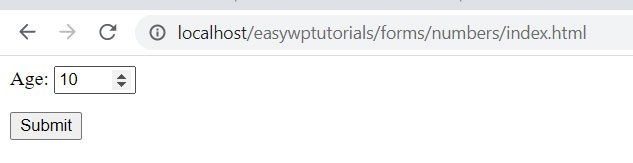
But as a rule, most modern browsers, except IE 11 and Microsoft Edge, have arrows on the right in the input field to increase / decrease the value by the amount specified in the step attribute.
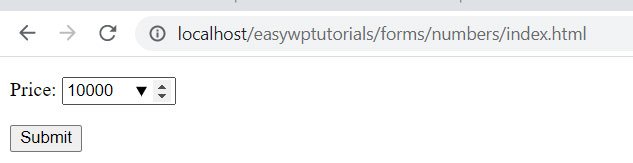
As with the textbox, we can attach a datalist here with a range of possible values:
<!DOCTYPE html>
<html lang="en">

<head>
    <meta charset="UTF-8">
    <meta http-equiv="X-UA-Compatible" content="IE=edge">
    <meta name="viewport" content="width=device-width, initial-scale=1.0">
    <title>Numeric field in HTML5</title>
</head>

<body>
    <form>
        <p>
            <label for="price">Price: </label>
            <input type="number" list="priceList" step="1000" min="3000" max="100000" value="10000" id="price"
                name="price" />
        </p>
        <p>
            <button type="submit">Submit</button>
        </p>
    </form>
    <datalist id="priceList">
        <option value="15000" />
        <option value="20000" />
        <option value="25000" />
    </datalist>
</body>

</html>
Slider
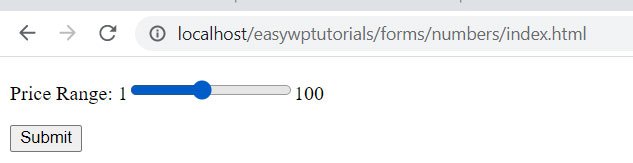
The slider represents a scale on which we can select one of the values. An element input with the type = “range” attribute is used to create a slider . In many ways, a slider is like a simple field for entering numbers. It also has attributes min, max, step and value:
<!DOCTYPE html>
<html lang="en">

<head>
    <meta charset="UTF-8">
    <meta http-equiv="X-UA-Compatible" content="IE=edge">
    <meta name="viewport" content="width=device-width, initial-scale=1.0">
    <title>Number slider in HTML5</title>
</head>

<body>
    <form>
        <p>
            <label for="price">Price Range:</label>
            1<input type="range" step="1" min="0" max="100" value="10" id="price" name="price" />100
        </p>
        <p>
            <button type="submit">Submit</button>
        </p>
    </form>
</body>

</html>