
The element
<input type="text" />
allows you to create a simple single-line text field. However, the text input capabilities of this element are sometimes not enough, and in this situation we can use a multi-line text field, represented by the textarea element :
<!DOCTYPE html>
<html lang="en">

<head>
    <meta charset="UTF-8">
    <meta http-equiv="X-UA-Compatible" content="IE=edge">
    <meta name="viewport" content="width=device-width, initial-scale=1.0">
    <title> Textarea </title>
</head>

<body>
    <form action="#">
        <div class="form-group">
            <div>
                <label for="textarea">Textarea</label>
            </div>
            <div>
                <textarea name="" id="textarea" cols="30" rows="10" class="from-control"> Message </textarea>
            </div>
        </div>
        <button type="submit">Submit</button>
    </form>
</body>

</html>
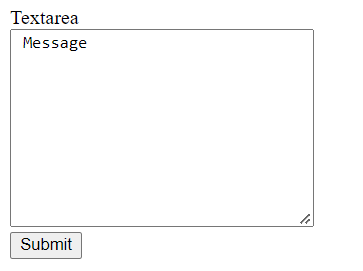
Using the additional cols and attributes, rows you can set the number of columns and rows, respectively: